

Overview
My homelab started as a place to host Minecraft, 7 Days to Die, Plex, and a few services I did not want running on my main computer. It eventually became the infrastructure behind Strong Foundation, Athletica, Coding House, and several of the development tools I use every day.
What pushed that transition was not a lifelong ambition to become a system administrator. It was losing access to the cloud resources I had quietly built most of my software around.
Role
Infrastructure design, server administration, networking, application deployment, secrets management, observability, storage, and learning just enough Docker to be dangerous.
Stack
Proxmox, Docker Compose, Nginx Proxy Manager, Phase, MinIO, Redis, SigNoz, OpenTelemetry, Ollama, Open WebUI, Penpot, LibreTranslate, WordPress, and a collection of hardware most people would have recycled years ago.
Status
Actively running production and development workloads from home. Manual deployments and recovery processes are gradually being automated.
Next Steps
Add dedicated backup hardware, set up local GitLab runners, automate Docker Compose deployments, improve recovery after power loss, and continue replacing the remaining AWS, Cloudinary, and MongoDB Atlas dependencies where it makes sense.
The Most Expensive Definition of “Lifetime”
From 2019 until 2025, I worked at Microsoft. One of the benefits available to employees was a recurring $150 monthly Azure credit, which I understood to be a lifetime benefit.
At the time, it was great.
It gave me the freedom to experiment with Azure without worrying about every VM, storage account, or database adding another charge to my credit card. More importantly, it gave me a place to host Strong Foundation in something resembling a real production environment.
Strong Foundation was not running from a laptop under my desk. It had separate development and production resources, Azure Key Vault for secrets, Blob Storage for files, Redis, monitoring, and scalable compute. Athletica later joined it through Azure Container Apps.
For several years, everything was pretty gravy. My usage normally stayed below $100 per month, comfortably underneath the employee credit.
Then I lost my job.
Losing the job was obviously a major life event, but I did not immediately connect it to the infrastructure supporting my personal applications. As far as I understood it, the Azure credit was a lifetime benefit. Strong Foundation continued running, and I had more important things to worry about.
A few weeks later, I noticed the app was offline.
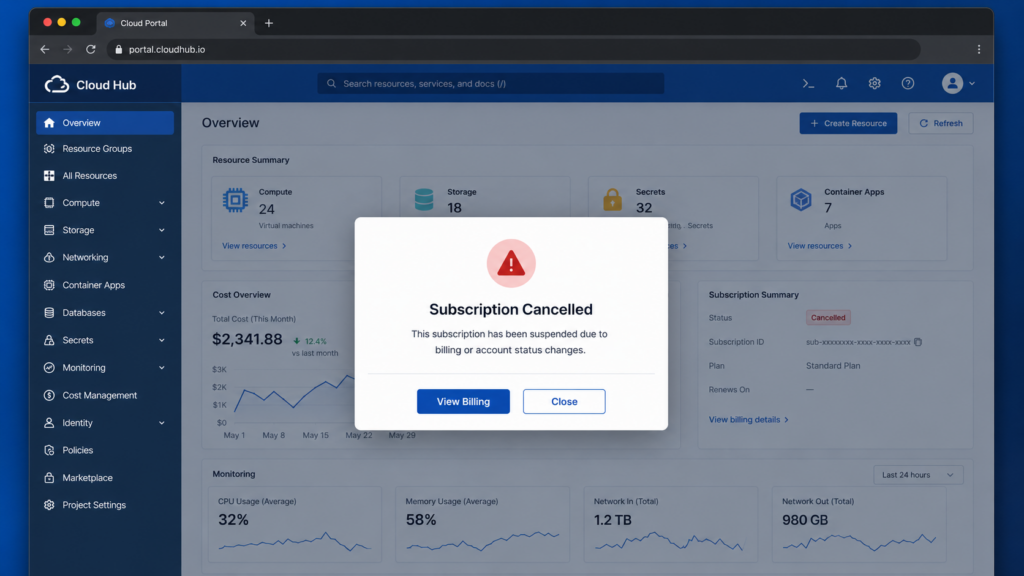
After some digging, I found that my Azure subscription had been suspended for nonpayment. That did not make much sense to me. My services had never exceeded the $150 credit, so I contacted support.
I was passed from agent to agent, repeating the same explanation: former employee, lifetime Azure credit, services unexpectedly suspended, yada yada.
Eventually, I was told that my case would be transferred to someone who could help. In the meantime, they could restore my services by moving the subscription to a pay-as-you-go plan.
That was support language for:
We probably are not restoring the credit, but you are welcome to start paying like everyone else.
Once the subscription moved to pay-as-you-go, the bill was around $100 per month.
The lesson was pretty straightforward. “Lifetime” apparently meant the lifetime of my employment.
Free Is Not the Same as Owned
I do not think there was anything especially malicious about what happened. Employee benefits end when employment ends. But the experience forced me to reconsider what I had built.
For years, I treated the Azure resources as part of my infrastructure. In reality, they were temporary access to someone else’s infrastructure, funded by a benefit tied to my employment status.
That is the complicated part about “free” software and services.
Sometimes a product is free because a company is still figuring out how to monetize it. Sometimes it is free because your employer is paying for it. Sometimes it is free because you have not reached the usage threshold that makes you valuable enough to charge.
Free access can be useful. It can help you learn and build things you otherwise could not afford. Azure absolutely did that for me.
But free access is not ownership.
The provider can change its limits, pricing, terms, or product strategy. A service can be deprecated. An account can be suspended. A benefit can disappear. When any of that happens, you are the one left migrating your application.
I had spent years building applications I cared about, but their continued existence depended on terms I did not control.
That bugged me the wrong way.
So I decided to take matters into my own hands.
The Server I Bought for Minecraft
About three years before all of this happened, I bought a used Dell enterprise server from a coworker for roughly $500.
I did not know what homelabbing was. I was not planning to build a private cloud or run production applications from my garage.
I wanted game servers.
The Dell ran Minecraft and 7 Days to Die. I installed OpenMediaVault for storage and Plex for media. Eventually, I installed Proxmox and began separating services into virtual machines, but it was still mostly a hobby box.
That changed once Azure started charging me.
The server had two Intel Xeon E5-2640 processors, 24 logical CPUs, and roughly 128 GB of RAM. It was old, loud, power-hungry, and more than capable of handling the small applications I had been paying cloud providers to run.
So the game servers got evicted.
I shut down the virtual machines I no longer needed, reduced the resources allocated to the remaining ones, and exported everything I cared about from Azure.
My garage server had officially been promoted from hosting Minecraft to hosting production.
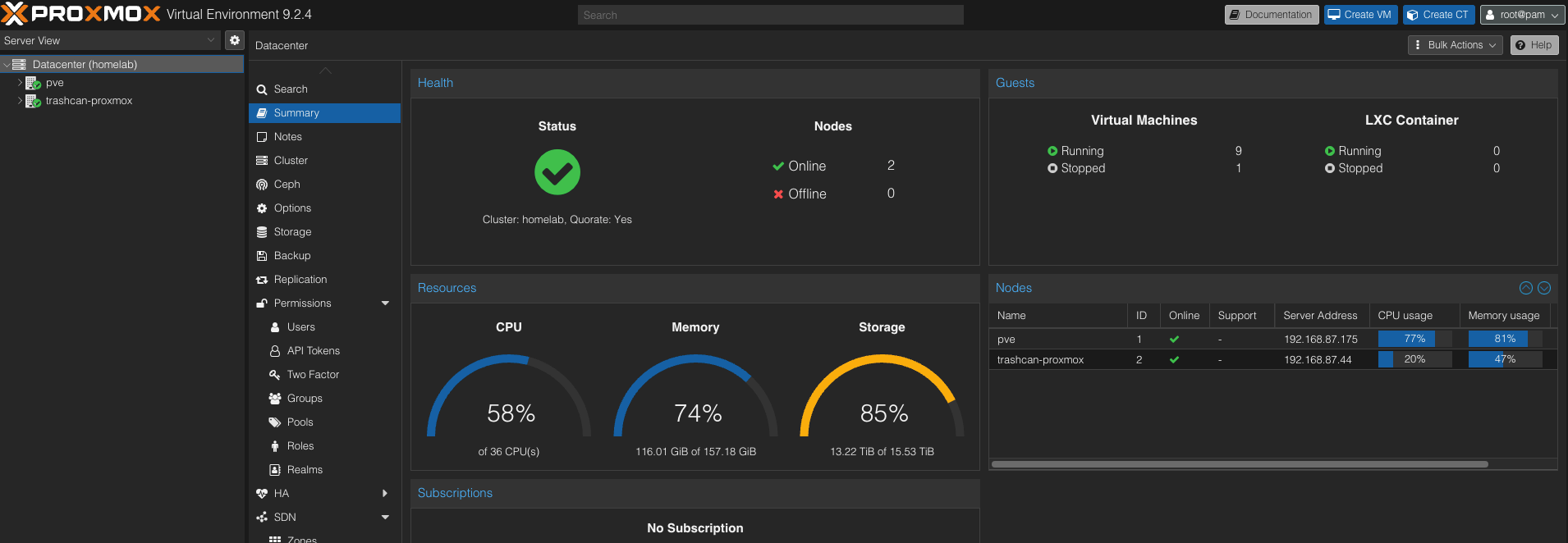
The used Dell server currently provides 24 logical CPUs and 128 GB of RAM. Apparently Minecraft was not using all of it.
Replacing the Pieces, Not Rebuilding Azure
My goal was not to clone Azure inside my house.
Azure offers hundreds of services, global redundancy, nearly unlimited compute, managed support, and teams of engineers keeping everything alive. I have a garage, residential internet, and a toddler who knows what the power button on a UPS does.
Instead, I focused on the small set of cloud services my applications actually used.
| Cloud dependency | Homelab replacement |
|---|---|
| Azure Key Vault | Phase |
| Azure Blob Storage | MinIO |
| Application Insights | SigNoz and OpenTelemetry |
| Azure compute | Proxmox VMs and Docker Compose |
| Public ingress and TLS | Nginx Proxy Manager |
| Hosted AI tools | Ollama, Open WebUI, and Continue.dev |
I started with secrets and storage because those were the pieces most applications depended on.
Phase became the replacement for Azure Key Vault. It gave me a central place to manage application secrets without scattering environment files and passwords across servers.
MinIO became my S3-compatible object storage layer. It replaced the basic file-storage behavior I was using from Azure Blob Storage and positioned me to eventually move away from Cloudinary as well.
Nginx Proxy Manager became the front door.
A request now travels through a path that looks something like this:
Domain → dynamic DNS → router port forwarding → Nginx Proxy Manager → VM or Docker container
The interface is simple, but getting it into the correct position on my network was not. I had to make sure dynamic DNS was updating correctly, Namecheap was configured properly, certificates could be issued, and the router knew where to forward incoming traffic.
Once it worked, though, adding a new public service became surprisingly straightforward.
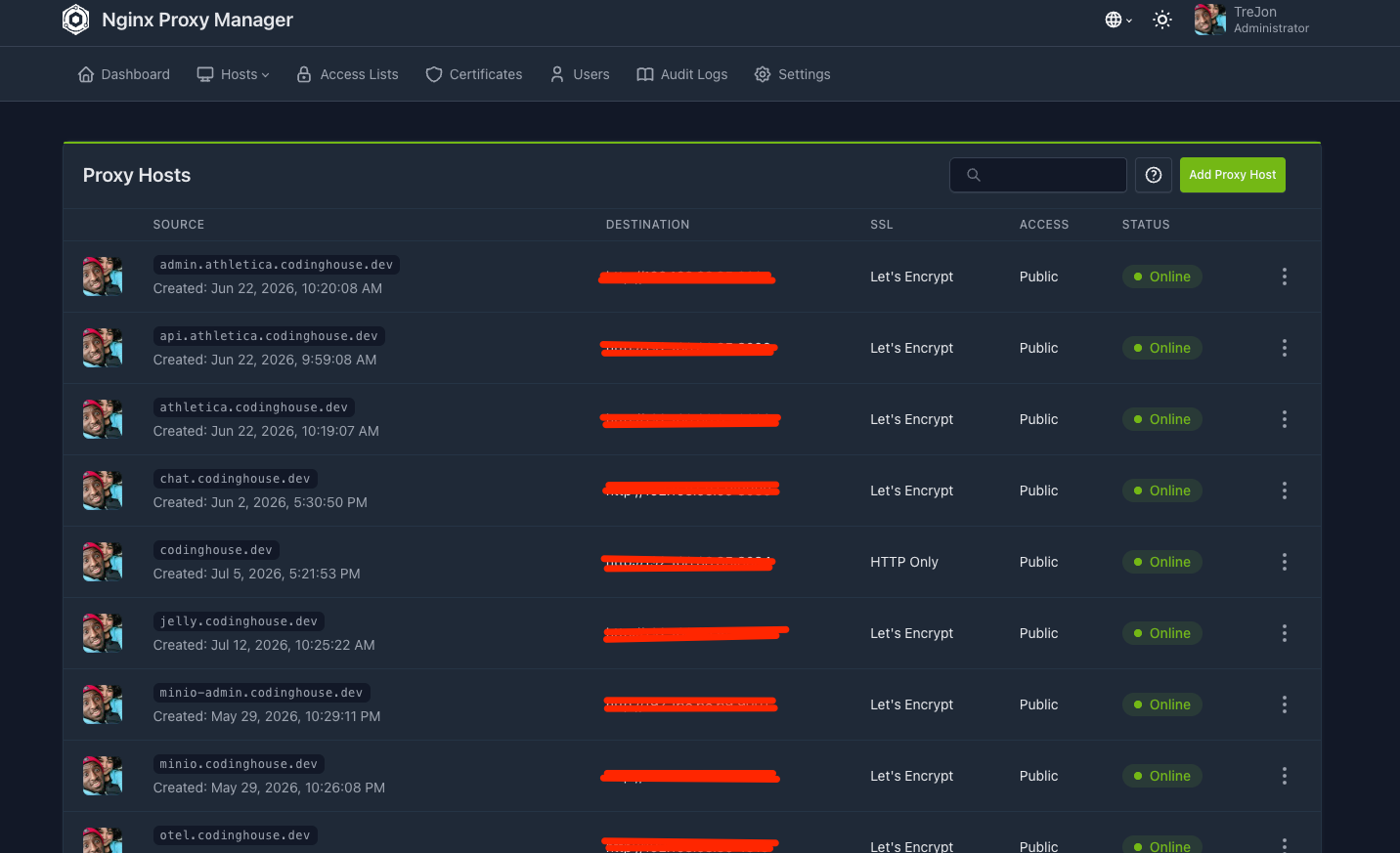
Nginx Proxy Manager routes public domains to applications running across the local network.
Using Every Computer in the House
The Dell server was not the only unused compute sitting around.
I had an older Mac mini collecting dust, so it became the home for several shared infrastructure services:
- Nginx Proxy Manager
- Phase
- MinIO
- Ollama
- Open WebUI
The heavier application workloads stayed on the Dell Proxmox server:
- Strong Foundation
- Athletica
- Redis
- LibreTranslate
- Penpot
- Plex and OpenMediaVault
- Development and staging environments
Later, I found a 2013 Mac Pro with 32 GB of RAM on Facebook Marketplace for $180. The trash-can Mac Pro may not be a great modern workstation, but it is still a compact Xeon-powered computer with plenty of life left in it.
It joined the Proxmox cluster and now hosts SigNoz, my replacement for Application Insights, along with the Coding House website.
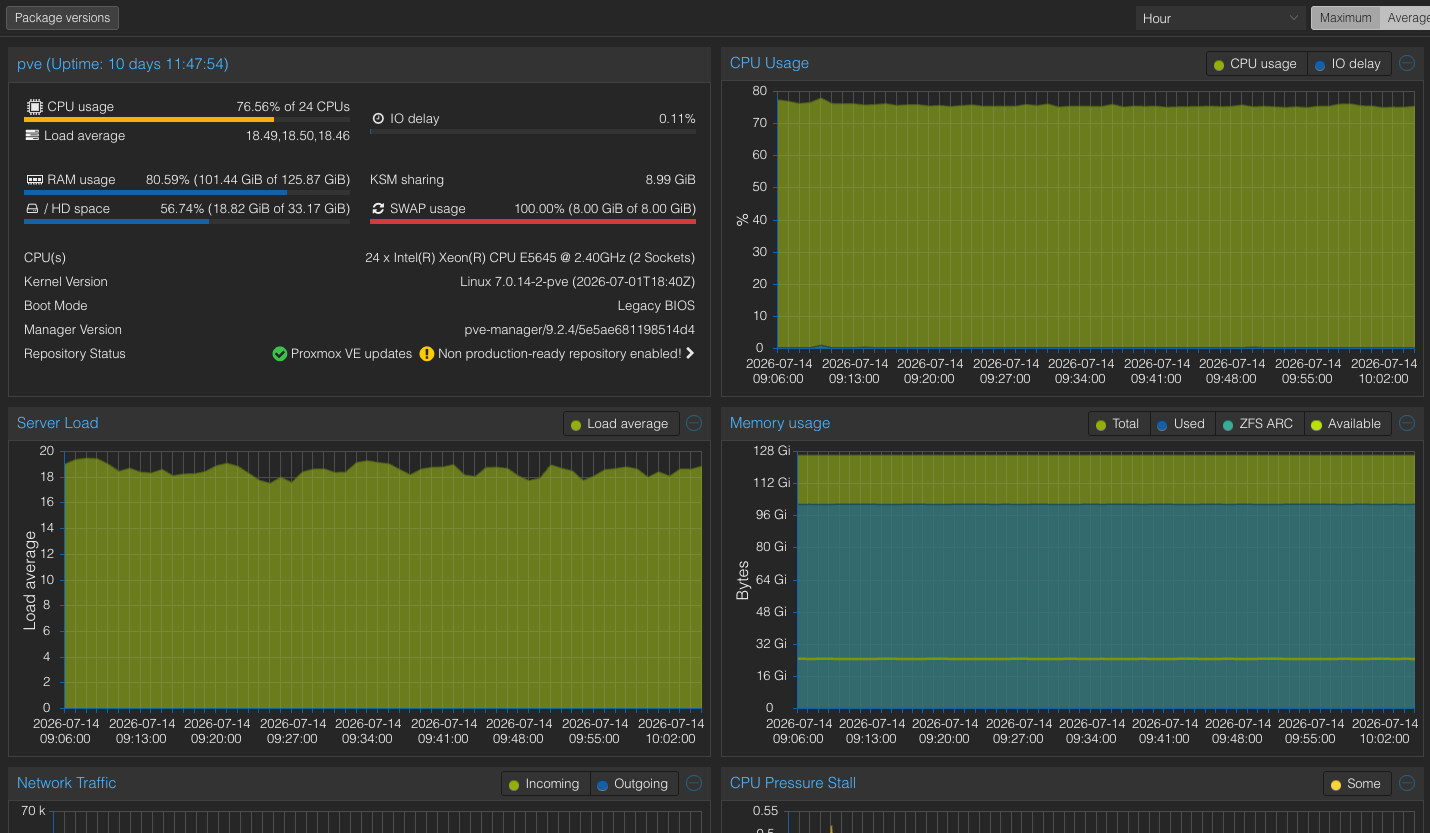
The Proxmox cluster combines a used Dell enterprise server and a 2013 Mac Pro.
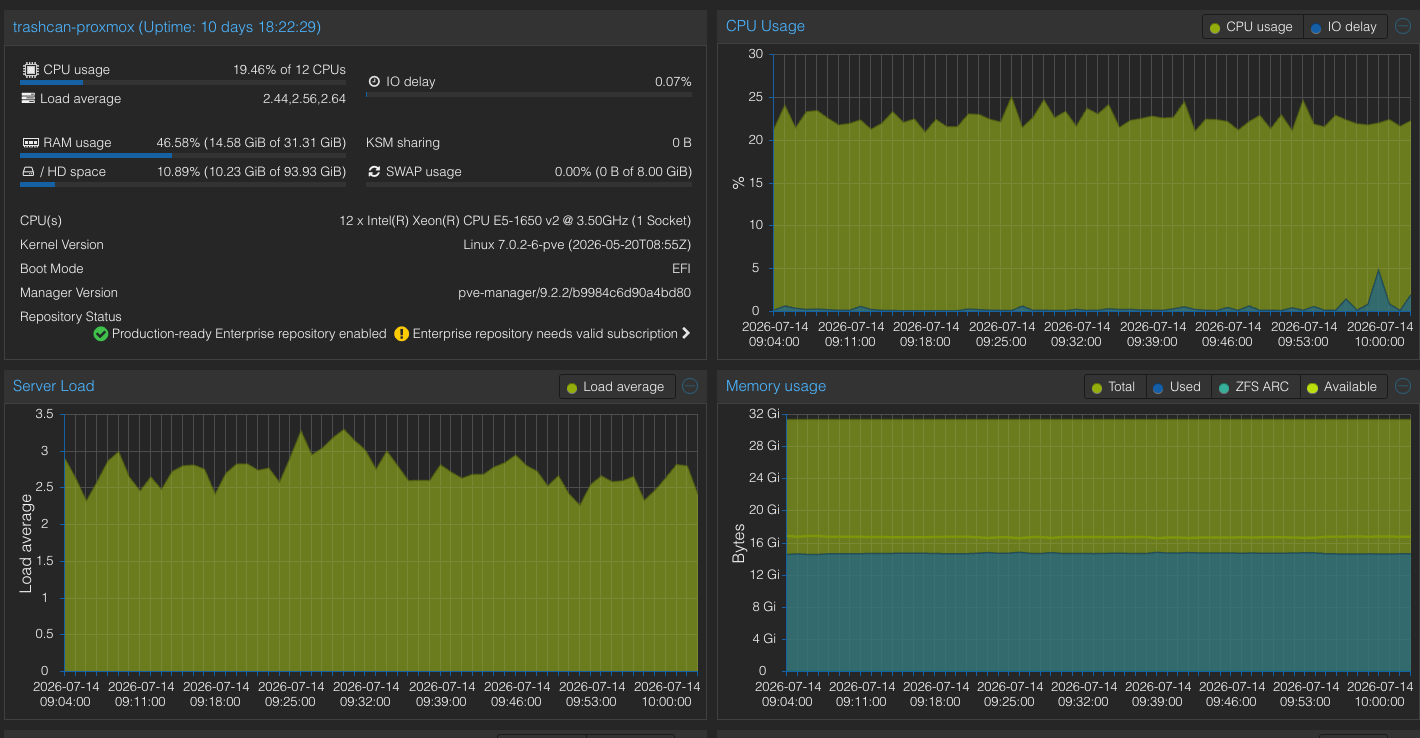
The $180 Mac Pro contributes another 12 logical CPUs and 32 GB of RAM to the cluster.
Nearly everything in this setup is more than ten years old.
None of it is winning a benchmark competition, but it does not need to. Strong Foundation serves a small user base. Athletica is still growing. My websites and internal tools are not processing millions of requests per second.
For my workload, this hardware is more than enough.
That has been one of the more surprising lessons from this project. The software industry is constantly pushing the idea that useful hardware has a very short lifespan. Meanwhile, these old computers are running databases, websites, APIs, monitoring tools, translation services, design software, AI models, and object storage without much trouble.
Old hardware is not useless hardware.
Apparently, I Know Docker Now
Before starting this migration, I knew barely anything about Docker.
I had used it professionally, but mostly because the projects I worked on required it. I tolerated Dockerfiles, copied commands from documentation, and hoped the containers started.
Now I still know barely anything about Docker—but I know enough to have replaced a meaningful portion of my dependency on big-tech cloud services.
Most services are deployed with Docker Compose. Deployments are currently manual: connect to the machine, pull the changes, rebuild the containers, start the stack, and verify that everything still works.
It is not sophisticated, but it is understandable.
The next step is to run local GitLab runners and automate the Docker Compose deployment process. I want commits to move through a proper pipeline rather than relying on me to remember every command.
Still, doing it manually first has been valuable. Automation is much easier to understand when you already know what each step is automating.
The Problems Were Usually Smaller Than They Looked
The migration was not technically impossible. Most of the problems came from networking, configuration, and figuring out which layer was actually rejecting a request.
Was the host firewall blocking the port?
Was Docker exposing the service?
Was the container listening on the correct interface?
Was Nginx forwarding to the right address?
Was CORS rejecting the browser?
Was an environment variable missing?
Was the application configured to trust the public domain?
Several issues looked like major infrastructure failures and ended up being one missing environment variable or an overly restrictive firewall rule.
That process has made me better at tracing requests through an entire system. When an application fails now, I do not only look at the application code. I follow the path from the browser, through DNS, the router, the reverse proxy, Docker, the host, and finally the service.
Owning the full vertical means you also own every opportunity for it to break.
That is frustrating, but it is also how you learn how the pieces actually work.
The Moment It Became Real
Getting containers to start was one thing. Trusting them with an application was another.
The first major moment came when Phase and MinIO were both running. At that point, I knew I had real replacements for two of the Azure services I depended on most.
The second came when I deployed Strong Foundation.
I updated the application, pointed it toward the new infrastructure, launched the release, and watched the mobile app connect successfully to services running from my house.
That was the moment I knew the migration was money.
Strong Foundation had been offline for a couple of weeks. It only serves a handful of users, and no important data was lost, but seeing it return without Azure felt significant.
It was not only about saving the $100 monthly bill. I had proven that the applications could exist outside the environment where they were originally built.
Reliability Is Now My Problem
Living in the cloud is easier.
Azure has redundant power, redundant networking, professionally managed data centers, automated recovery systems, and engineers whose full-time job is keeping services available.
My infrastructure has already gone down because of a storm.
It has also gone down because my two-year-old walked over to the UPS and pressed the power button.
That second outage was especially educational.
I immediately knew the shutdown would cost me at least 30 minutes. The machines needed to restart, virtual machines needed to come back online, Docker stacks needed to be checked, and public services needed to be tested.
Automated startup and recovery are now high on the project list.
Backups are another unfinished area. I am actively looking for hardware that can become a dedicated backup machine, along with storage software that is simple enough for me to trust and maintain.
This setup is not pretending to have zero downtime. Residential power, home internet, old hardware, and my own mistakes are all possible failure points.
The difference is that they are now failure points I can see, understand, and improve.
When Azure had an outage, I waited.
When a service was deprecated, I migrated.
When the employee benefit disappeared, I paid.
When my homelab goes down, I can walk into the garage and figure out why.
Self-Hosting Is Not Free
Self-hosting is often described as a way to run services for free. That is not completely honest.
The Dell server cost about $500. The Mac Pro cost another $180. The Mac mini originally cost around $500, although I had owned it since 2017 and it was no longer being used.
Electricity likely adds less than $40 per month. I still have a $20 monthly AWS Lightsail instance that has not yet been migrated.
If I priced out all the equivalent cloud services, I estimate the homelab avoids roughly $170 per month in hosting costs.
That does not mean I pocket $170 every month. Hardware fails. Drives need to be replaced. Electricity costs money. Backups require more storage. My time has value.
Self-hosting is not free.
What it purchases is control.
I can add CPU or memory to a virtual machine without accepting a permanently larger monthly bill. I can deploy another internal service without reaching for a credit card. I can keep software running after a vendor changes its pricing. I can decide when to upgrade, what to replace, and which risks I am willing to accept.
As long as the hardware has headroom, scaling a service up or down costs me nothing extra.
That freedom has made experimentation fun again.
Cloud Platforms Are Tools, Not Foundations
I am not anti-cloud.
Azure gave me years of experience I would not have otherwise had. It taught me how production services are organized and gave Strong Foundation a reliable place to grow. Managed databases, global CDNs, automatic scaling, and hosted monitoring are valuable for a reason.
There are also services I am not rushing to replace.
MongoDB Atlas remains a good fit because my applications operate comfortably within its free tier. I could self-host MongoDB, but doing so means accepting responsibility for backups, upgrades, security, availability, and recovery. Right now, the managed option still makes sense.
Cloudinary is getting closer to its free-tier limits, and I do not use many of its advanced features outside storage and CDN delivery. That makes it a much stronger candidate for replacement with MinIO.
The remaining Lightsail instance will likely move home as a VM or container once I am comfortable with its migration path.
The goal is not to remove every external provider just to say I did it. The goal is to make those dependencies intentional.
Cloud platforms should be tools I choose, not foundations I assume will always be there.
What Comes Next
The homelab works, but there is still plenty left to improve.
The largest priority is backups. I need dedicated hardware, repeatable backup jobs, off-machine storage, and a recovery process I have actually tested.
After that comes automation:
- Start critical VMs and containers automatically after power loss
- Run local GitLab CI/CD runners
- Automate Docker Compose deployments
- Add more meaningful health checks and alerts
- Continue instrumenting applications with OpenTelemetry
- Migrate the remaining Lightsail workload
- Replace Cloudinary storage with MinIO
- Evaluate whether self-hosting MongoDB is worth the responsibility
There will always be another service to deploy, cable to clean up, dashboard to configure, or piece of hardware on Facebook Marketplace that I can convince myself is a business expense.
That is part of the fun.
Every Software Engineer Should Try This
I think every software engineer should dabble in homelabbing.
You do not need a rack full of enterprise servers. You do not need Kubernetes, ten-gigabit networking, or a miniature data center in your basement.
An old laptop, desktop, Raspberry Pi, or used office computer is enough to begin.
Install a hypervisor. Run a container. Host a small website. Configure a reverse proxy. Break DNS. Fix DNS. Set up a database. Restore it from a backup. Learn what happens between typing a domain into a browser and seeing an application respond.
Application development can make infrastructure feel abstract. We push code, a pipeline runs, and somehow the application appears on the internet.
Homelabbing removes the “somehow.”
It forces you to understand the machine, network, operating system, runtime, storage, security, and application as one connected system. That understanding makes you a better engineer, even if you never operate production infrastructure professionally.
It also gives open-source software a more meaningful place in your work. Phase, MinIO, Proxmox, SigNoz, Nginx Proxy Manager, Penpot, LibreTranslate, Ollama, and the rest of this stack exist because people chose to build and share alternatives.
The more we use, support, contribute to, and talk about those projects, the less dependent the software community becomes on a handful of vendors.
Wrapping Up
My homelab was not born from a perfectly planned architecture.
It started with a used server purchased to host Minecraft. It grew because a benefit I thought would last disappeared, and an application I cared about went offline.
Now that same server, an old Mac mini, and a $180 trash-can Mac Pro run most of my development and production infrastructure.
The system is not perfect. It still needs backups, deployment automation, improved recovery, and better redundancy. A storm can take it offline. A toddler can apparently become a site-reliability incident.
But it works.
And if the project never becomes anything larger than it is today, I can still say it taught me more about infrastructure, networking, Docker, observability, and production operations than years of clicking through cloud dashboards.
Convenience creates dependency.
Self-hosting creates responsibility.
Somewhere between the two is the level of control each project actually needs.
For mine, that balance is now sitting in the garage.